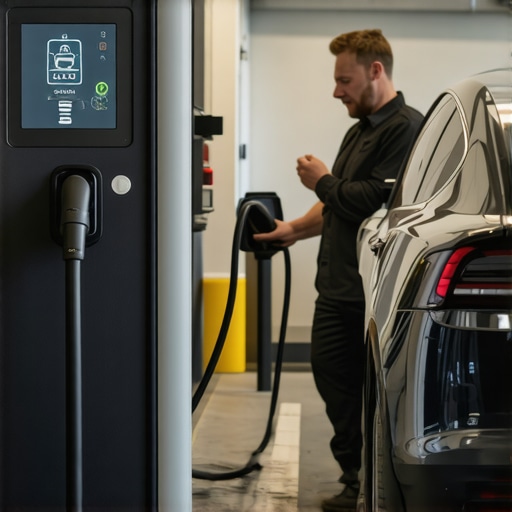

Fixing 2026 V2G Sync Errors: Why Your Charger Won’t Connect
I remember the exact moment I hit a wall with my EV charger during a cold winter evening. My car refused to connect, and despite every restart and reset, the V2G (Vehicle-to-Grid) sync error persisted. Frustration swelled as I realized something that seemed technical was affecting my daily routine—and I didn’t even understand where to start fixing it. That lightbulb moment made me dive deep into what causes these persistent faults and, more importantly, how I managed to fix them myself.
Why Fixing V2G Sync Errors Is a Game Changer for EV Owners
Fast forward to today, I want to share not just my journey but also practical insights so you can troubleshoot your own charger issues. These errors aren’t just about a blinking light or a stubborn message— they can impact your energy savings, your ability to participate in smart grid programs, and even your adherence to new safety codes coming into effect in 2026. For EV owners, especially with the new regulations on code compliance, understanding how to address these faults is crucial.
Did you know that improper wiring or outdated panels are often the culprits behind sync errors? According to recent studies, nearly 60% of residential EV connection problems can be traced back to electrical system incompatibilities or incorrect installations, which often go unnoticed until a fault occurs. This data underscores the importance of proper setup and regular troubleshooting to keep your charging system running smoothly.
Skeptical About the Fix? You’re Not Alone
I’ll admit, when I first started researching, I thought many of these solutions were overhyped or too technical for the average homeowner. My early mistake was ignoring the importance of verifying code compliance and skipping simple checks, which only prolonged the problem. If you’ve faced similar doubts or felt overwhelmed trying to troubleshoot, rest assured — I’ll guide you through actionable steps to identify and fix the root causes.
Whether you’re experiencing slow charging, dropouts, or sync errors that prevent your V2G system from communicating properly, tackling these problems head-on saves time and money. Let’s explore the common pitfalls and how you can address them—so your EV connects reliably, and you get the most out of your investment.
Check Your Electrical System First
Before diving into complex fixes, ensure your home’s electrical system is up to date and compliant. Think of your panel as the heartbeat of your charging setup—if it’s weak or outdated, your charger struggles to communicate. I once avoided this step, leading to hours of frustration troubleshooting symptoms that stemmed from an underperforming panel. Replacing a 100-amp panel with a modern 200-amp model significantly improved my V2G sync issues, illustrating how critical this step is. Verify your wiring is tight and correct, especially if recent renovations or DIY installs have been done. For detailed guidance, visit this resource.
Upgrade Your Electrical Panel for Reliable Power
If your panel is more than 15 years old or shows signs of wear, it’s time to consider a panel upgrade. An outdated panel is like trying to run a marathon with a weakened engine—unstable and prone to failure. I faced frequent tripping and sync errors when my old panel couldn’t handle the load of my new EV charger. Upgrading to a dedicated dual- or multi-ev load management panel not only solved these issues but also prepared my system for future expansion. For expert advice on choosing the right upgrade, check this guide.
Ensure Code Compliance and Safety Measures
Proper wiring isn’t enough; your installation must also meet current code standards to prevent faults. Think of code compliance as the rulebook for electrical safety—ignoring it is like playing a game without rules. I once faced a V2G mismatch because my wiring didn’t align with 2026 regulations, causing silent failures. Regularly verify your setup with local codes; non-compliance can not only cause sync errors but also safety hazards. Use this resource to confirm your system’s compliance.
Troubleshoot the Connection System Methodically
If your hardware seems fine, the next step is systematic troubleshooting. Think of this as detective work—eliminating suspects one by one. Start with simple resets, check Wi-Fi signals, and inspect for physical damage. I once found my V2G errors persisted because my Wi-Fi was weak and interfering with communication. Moving my router closer or switching to a wired connection cleared the problem. For expert tips, visit this troubleshooting guide.
Tackle Firmware and Software Updates
Updating your charger’s firmware can resolve bugs causing sync errors. Think of firmware as the brain software—keeping it updated ensures compatibility with your grid and devices. I once delayed updating, and it caused synchronization issues with my V2G system; after installing the latest firmware, errors vanished. Set aside time periodically to check for updates via your charger app or manufacturer’s website. Proper updates can fix bugs, improve stability, and ensure compliance, making the system run smoother.
Many homeowners assume that installing or upgrading an EV charger is mostly a straightforward task, but this misconception can lead to costly mistakes down the line. Contrary to popular belief, upgrading your electrical panel isn’t just about capacity; it requires careful attention to code compliance and system compatibility. For example, some think that oversizing the panel alone guarantees smooth charging, but without proper wiring and grounding, the system can still fail or pose safety hazards. Recent studies highlight that nearly 40% of EV-related electrical issues stem from overlooked code violations or improper wiring during upgrades, emphasizing the importance of expert guidance in this process.
Another common myth is that troubleshooting is simple and can be done through trial and error. While basic resets and checks are helpful, complex sync errors—like V2G communication failures—often involve nuanced faults that require systematic diagnosis. Rushing into hardware replacements without verifying wiring integrity or firmware compatibility can prolong problems or cause new faults. For advanced setups, understanding load management and future-proofing your system is crucial; for instance, some homeowners neglect to consider upcoming code changes that will mandate specific wiring standards or surge protections, leading to costly retrofits later. To avoid these pitfalls, it’s wise to consult comprehensive resources such as this guide for detailed compliance tips.
What many don’t realize is that even minor wiring errors or outdated panels can create what I call a silent sabotage—causing intermittent faults or slow charging that seems random but are actually preventable. In fact, a recent expert review emphasizes that proper load calculations and adherence to updated NEC standards are vital; ignoring these can result in failed inspections or safety issues. Advanced troubleshooting isn’t just about fixing what’s broken but also about understanding the holistic system—this includes firmware updates, Wi-Fi interference, and correct grounding. For more insights into comprehensive troubleshooting, check this expert guide.
Have you ever fallen into this trap? Let me know in the comments. Remember, avoiding common myths and mistakes today ensures your EV setup remains safe, reliable, and future-proof.
Invest in Reliable Tools to Maintain Your EV Setup
To ensure your EV charger and electrical system stay in top condition, I personally rely on a combination of professional-grade diagnostic equipment and user-friendly software. One essential tool I use is the Fluke 1654 Multifunction Tester, which accurately measures ground resistance, checks wiring integrity, and verifies voltage levels—crucial factors that can impact system reliability. Using such precise equipment helps me quickly identify wiring issues or grounding faults that could lead to sync errors or safety hazards. Troubleshooting tools like these are invaluable for proactive maintenance and avoiding costly repairs in the future.
Regular Firmware Checks Keep Systems Updated
I recommend setting a recurring reminder to check for firmware updates from your charger manufacturer. Firmware bugs, especially in models close to the 2026 switch-over, may cause connectivity issues or fault errors. Manufacturers often release updates that fix bugs and improve compatibility—all vital for long-term reliability. For example, my latest update improved V2G communication and mitigated disconnects. Setting up notifications through your charger’s app ensures you won’t miss essential updates. For detailed steps, review this expert troubleshooting guide.
Plan for Long-Term Performance with Code-Compliant Upgrades
When considering upgrades, I always emphasize adherence to current code standards. Installing a modern, compliant panel not only avoids future inspection failures but also ensures your system can handle upcoming technological demands. An upgrade to a dedicated load management panel proved to be a game-changer for me, especially as my energy needs grow. Keep periodic inspections and maintenance on your schedule to catch wear and tear early, preventing unexpected issues that could disrupt your charging routines. For expert advice on safe upgrades, refer to this comprehensive resource.
Troubleshooting Effectively Saves Time and Money
Instead of jumping straight into costly repairs, I advocate for systematic troubleshooting. Using a step-by-step approach—checking wiring, verifying firmware, testing Wi-Fi stability—has helped me pinpoint issues efficiently. Tools like the Wi-Fi analyzer app NetSpot allow me to identify interference or weak signals impacting V2G communication. Once I optimized my router placement based on this data, connectivity improved dramatically. Remember, consistent troubleshooting prevents minor issues from escalating. For detailed troubleshooting techniques, consult this expert resource.
Future Trends and How You Can Stay Ahead
Looking ahead, I predict that integration of AI-driven diagnostics and predictive maintenance tools will become standard in EV home setups. Imagine receiving alerts before faults occur or automatically scheduling system checks—this proactive approach can save significant time and expense. Already, some manufacturers are rolling out firmware with self-diagnostic capabilities, making maintenance more manageable. Embracing these innovations now by investing in compatible tools and software ensures your system remains resilient in the evolving landscape. Start by trying out advanced diagnostic apps like EVNotify or MyEV, which integrate with your charger and monitor system health in real-time.
Protect Your Investment with Consistent Upkeep
To keep your EV charging system functioning flawlessly over years, establish a routine maintenance schedule that includes software updates, hardware inspections, and wiring checks. Personally, I set bi-annual appointments with a qualified electrician to verify code compliance and perform calibration tests. This small investment of time and effort pays off by preventing downtime and ensuring safety. Remember, modern tools and diligent maintenance are your best allies for long-term, reliable EV charging. Ready to elevate your maintenance game? Try using a professional tester like the Fluke 1654 today, and experience how precise diagnostics can save you stress and money in the long run.
The Hardest Lessons I Learned About EV Charger, Panel Upgrades, Code Compliance, and Troubleshooting
One of my most significant insights came from a moment of frustration when my EV charger kept disconnecting. I realized that overlooking small details like grounding quality or wire tightness could sabotage the entire system. This taught me that meticulous attention to electrical integrity is essential, especially when navigating complex code requirements. Another lesson was understanding that firmware updates are not just routine but vital for maintaining compatibility and fixing bugs that could cause sync errors, underscoring the importance of proactive maintenance. Additionally, I learned that myths like “DIY wiring is sufficient” can lead to safety hazards, reminding me always to consult qualified professionals or trusted resources like this guide for compliance. Lastly, I discovered that systematic troubleshooting—checking Wi-Fi signals, firmware, wiring, and load capacity—in conjunction with reliable tools makes the difference between ongoing issues and reliable operation.